
Fillmore County Court Docket Searches
Start with Minnesota Court Records Online, or MCRO. That statewide service is the public layer for District Court cases. It covers Fillmore County. Enter a name and pick the specific-county location option, then select Fillmore from the list. A common name or shaky spelling can defeat the name route. In that case, a case-number, citation-number, or attorney search usually works better. MCRO returns public case details, hearing information, remotely eligible documents, and docketed money judgments.
Gather what you can before searching. That means the party name, a case or citation number, a likely case category, and a rough filing period. A Fillmore County court docket sits under Civil, Criminal, Family, or Probate/Mental Health. There is no broad local label. The search is public and currently free. Results are informational, though, not certified copies. If a Fillmore search returns nothing online, check the Fillmore courthouse path. Do not conclude no court file exists.
- Open MCRO and accept its public-access terms, then choose Case Search.
- Select Fillmore under specific county court locations, or use statewide search when the filing county is uncertain.
- Search by case number, citation number, party name, or attorney information using the method that fits the known facts.
- Open Case Details to read the Register of Actions, hearings, case information, and any eligible public document links.
- Use Fillmore Court Administration for a courthouse-terminal search, a paper-file question, or a certified copy.
Note: After you open a result, MCRO asks you to back out through its own controls instead of the browser Back button.
MCRO Searches for Fillmore Court Dockets
MCRO sorts its tools into four tabs. Case Search opens the broad Fillmore case record. Document Search takes a case number and hunts for an eligible Fillmore filing. Hearing Search fits when you only need one setting. It is not the whole Fillmore County court docket. Judgment Search covers docketed money judgments and their satisfactions. Each tab does a job the others cannot do. A Fillmore Judgment Details result is never the full Register of Actions.
The official MCRO interface presents the search tabs, methods, filters, and county selector behind any Fillmore County court docket search. It is the tool assigned to this Fillmore court-docket topic.
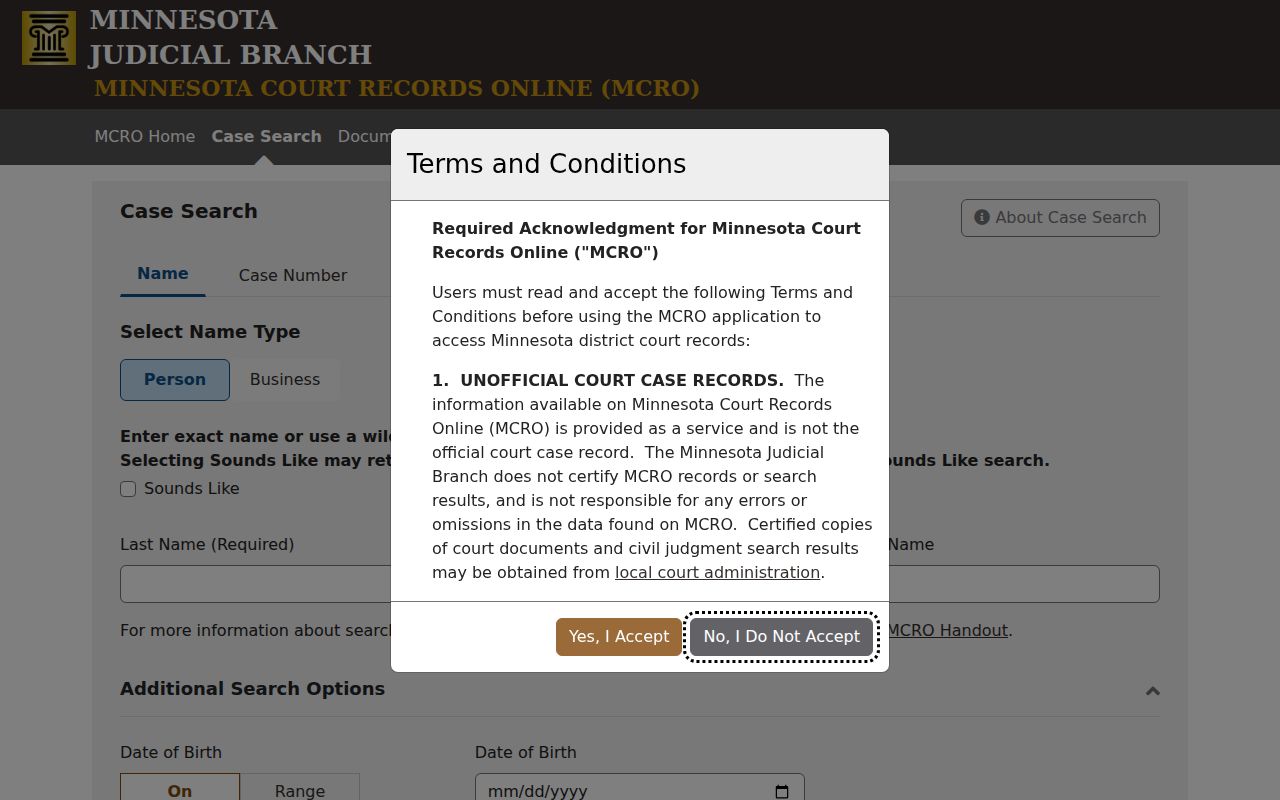
Reach for the case-number method first when you have one. Permitted dashes and leading zeros are fine; spaces are not. A name search runs exact by default. Once you type at least two characters, a trailing wildcard can catch a spelling variation. Sounds Like is a separate option. It cannot be paired with the wildcard.
| MCRO route | Best use | Fillmore detail |
|---|---|---|
| Case Search | Case history and public case details | Select Fillmore or search statewide for an uncertain venue. |
| Document Search | Eligible public filing by case number | An event may appear even if no View Document link is offered. |
| Hearing Search | Scheduled appearance | Cross-check a public setting with the daily calendar. |
| Judgment Search | Docketed money judgment or satisfaction | Open Case Details for the broader civil history. |
Court Dockets: What They Show
In Fillmore County, MCRO names the chronological case history the Register of Actions. Its entries are called Case Events. The Fillmore case overview can also show case number, title, type, filing date, court location, judicial officer, status, citation number, flags, and related cases. Criminal files may carry charges, amended-charge history, bail activity, hearings, and sentencing fields. Civil files can include motions, orders, judgment details, and satisfaction information. What appears in a Fillmore docket varies. It depends on the case and the access rules that apply to it.
A Fillmore County court docket is an index. It is not a guaranteed folder of every filing. An event can identify an order, notice, motion, or hearing. The document image may stay unavailable for remote viewing. Read events in sequence, and keep a case's status separate from its disposition. That Open or Closed label is administrative information, not an explanation of what happened.
| Case number | The local identifier; public traffic formats can include 23-CR-YY-NNN or 23-VB-YY-NNN. |
|---|---|
| Parties | Role labels and limited public party or attorney information, subject to court access limits. |
| Case Events | The Register of Actions, a dated list of public filings, notices, orders, and activity. |
| Hearings | Scheduled or prior settings with available date, time, and type information. |
| Disposition | The recorded outcome or procedural resolution, read with the events and any judgment details. |
Fillmore Register of Actions Terms
"Register of Actions" is the term to use when asking about a Fillmore County court docket. It means the dated sequence of Fillmore case activity. It is not a certified copy. Nor is it the daily list of courtroom settings. "Case Details" is the broader Fillmore MCRO view. It combines the overview, parties, events, hearings, and other available blocks. "Case Events" labels the event-history block inside that view.
These distinctions matter when you need a particular part of the file. A Fillmore hearing is a scheduled or completed appearance. A disposition is the recorded outcome or procedural resolution. A document index number may identify a Fillmore filing in the Register of Actions. It does not promise a downloadable image. The Minnesota Judicial Branch's MCRO field guide walks through each block.
- Case Details
- The MCRO screen that groups public metadata, parties, events, hearings, outcomes, and financial information.
- Register of Actions
- The chronological docket list of court events, filings, and orders.
- Hearing
- A setting shown in the case record or public daily calendar when remotely available.
- Disposition
- The recorded result or resolution, which should be read separately from an original charge or case label.
Fillmore County Courts and Their Dockets
One trial-court level serves the local matters in the official material: the Minnesota District Court. Fillmore County District Court belongs to the Third Judicial District. It holds original jurisdiction over Fillmore civil, family, probate, juvenile, criminal, traffic, conciliation, eviction, and related proceedings filed in the county. No separate county criminal court, civil court, or justice-court portal appears in the official source set. Case categories change the record and access rules. They do not create competing local clerks.
City offices can answer questions about administrative citations, local ordinances, or city records. Once a citation becomes a District Court case, though, those offices are no substitute for the Fillmore County court docket. Appeals work differently too. A notice of appeal may show up in the local Register of Actions. The appeal's own record lives elsewhere. It lives with the Minnesota appellate system.
| Court or office | Docket or record covers | Where to start |
|---|---|---|
| Fillmore County District Court | Criminal, civil, family, probate, juvenile, traffic, conciliation, and eviction matters | MCRO or the Fillmore courthouse public-access terminal. |
| Fillmore Court Administration | Local access questions, copies, certification, calendar clarification, and paper-file routing | Courthouse counter or the local Court Administration number. |
| Minnesota Court of Appeals | Separate appellate records from qualifying District Court decisions | The appellate court's own public resources. |
| City office | Administrative citation, ordinance, or city record questions | The issuing city's office before assuming a court case exists. |
eFS and Fillmore Docket Events
Fillmore County cases get filings through Minnesota eFS. It is the state's Electronic File and Serve system for District Court. It is a filing tool. It is not where the public reads a Fillmore County court docket. Attorneys in Fillmore must file through eFS under the statewide rules. Government entities and guardians ad litem must do the same. People representing themselves have more room to choose. They may use eFS or paper filing, whichever the rules permit for their case. Either way, once a document lands in a court file, the court-access rules decide who can see it. The system used to file it does not change that. Minnesota's eFS instructions walk through the filing system, including browser and payment points to know. That filing route stands apart from the public MCRO record search.
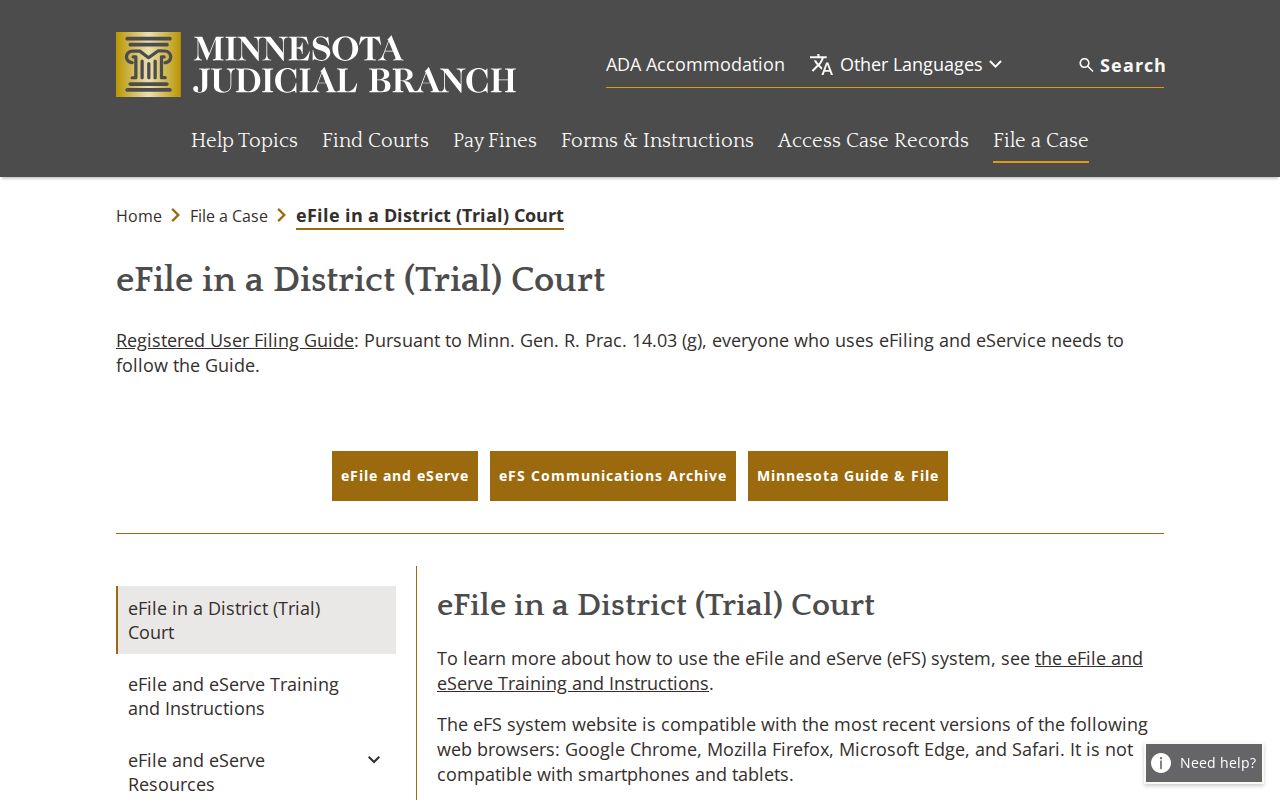
Not every filing event in a Fillmore County court docket comes with a document you can pull up. Some filings lead to public papers, and some have no remote image at all. Others are restricted. That gap is normal for this Fillmore division, and it teaches a useful lesson. Treat the public case history as an index of activity, not a download area.
Court Dates and Settings in Fillmore County
Two different Fillmore tools can show a hearing date. MCRO's Hearings section lists settings, and the county's public daily calendar does too. They serve different jobs, though. The Fillmore daily calendar is simply a schedule of public courtroom hearings. Each line can carry the date, time, and hearing location. It may also list the judicial officer, hearing type, connection type, and case number. It is not the full Fillmore County court docket. It leaves out confidential matters along with anything not accessible remotely. The calendar goes up at 7:00 a.m. each business day and gets hourly updates. Still, Fillmore cases, courtrooms, and judicial officers can change. When a setting matters soon, read the newest Register of Actions entry first. Then compare the online calendar. Confirm with Fillmore Court Administration. The Fillmore County court schedule page walks through the full local sequence in order.
Fillmore Court Docket Confirmation Chain
A calendar conflict in Fillmore does not mean a case vanished. A continuance or reset usually keeps the old setting in the history. It adds a later order or hearing instead. To pin down a current Fillmore County court docket setting, check the case's Hearings block first. Read the latest Register of Actions event, and compare the daily calendar. Call the court if the picture stays unclear. When the printed Fillmore courthouse calendar differs from an older online PDF, the printed one is the practical current source. Fillmore Policy 525 spells out default hearing appearance types for the county in detail. Adult criminal CR and VB matters get one treatment. Treatment court, juvenile categories, civil matters, family, probate, and other proceedings get their own. The policy is a good prompt to check the case type and setting label before assuming anything. A judge can depart from a default. So a label like Zoom Session or a connection type is never a stand-alone attendance instruction.
For an imminent Fillmore setting, use the current court record and the court's instructions. An old calendar download is not a final confirmation.
Docket Access Under Minnesota Law
Minnesota judicial rules, not local preference, control public access to a Fillmore County court docket. The default is openness: Fillmore court records are generally public unless an exception applies. Yet the access route still matters. A Fillmore record can sit at a courthouse terminal or counter. It may stay unavailable through MCRO from home. For a court-record question, the right local contact is Fillmore Court Administration. It is not an executive-branch data-practices office. Remote limits exist because certain Fillmore categories and details do not travel through the web interface the same way. Juvenile, sealed, expunged, confidential, civil-commitment, domestic-abuse, harassment, CHIPS, and related Fillmore records each require checking the specific rule or order. One more caution. A missing online result does not prove a matter was never filed. And a visible Fillmore case event is not permission to infer private facts.
Key Rules:
Minnesota Rules of Public Access Rule 4 states the general public-access rule for court records, subject to exceptions.
Rule 8 explains why remote electronic access can be narrower than courthouse access.
Minnesota Statutes §13.90 marks court records as judicial records governed by court rules rather than the ordinary Data Practices Act path.
Minnesota Statutes §260B.163 addresses juvenile-hearing privacy and limited public exceptions.
Fillmore Court Docket Records Gaps
A Fillmore County case can appear in MCRO with no View Document link attached. That gap is normal, not a local mistake. Whether a Fillmore document shows up depends on its category and its filing date. The rules for remote access matter too. Public documents that are available there are generally free to view. Statewide guidance describes broader remote access for many documents filed on or after July 1, 2015 in major and minor criminal and civil cases. It notes limits on older Fillmore files and sensitive categories. Secure electronic exhibits add another wrinkle. Minnesota's Digital Exhibit System is not a public library of case filings. A judge must approve any public access to an exhibit. When a Fillmore County court docket looks thin, try the public-access terminal at the courthouse. Fillmore Court Administration can also tell you which parts of the court records can be inspected, copied, or requested. Just avoid reading anything into a missing online image. The case may still have a full paper trail.
How the Clerk Keeps Docket Records
Court Administration is the single local contact for Fillmore County district-court records. Minnesota runs one unified court system. There is no separate county clerk and district clerk here. One Fillmore office answers questions on civil, family, probate, juvenile, criminal, and traffic files. Need a public terminal, a paper file, a court date clarified, or a certified copy? This is the desk. It does not maintain separate criminal or civil records counters. A docket question of any type goes to the same staff.
Bring a Fillmore case number whenever you have one. If not, the parties' names, the county, the rough filing year, and the case category usually work. Older records may sit off-site. The state does not guarantee same-day retrieval, so call ahead. For remote work, MCRO stays the first step in any Fillmore County docket search.
Fillmore Court Administration
Fillmore County Courthouse
101 Fillmore Street E.
Preston, MN 55965
507-765-6021
Fillmore Court Docket Copy Options
A printout from your browser is not a certified Fillmore County court record. An MCRO result is not one either. Plain copies are generally free under the statewide and Fillmore fee schedule. Certified copies carry the court's seal of certification. Exemplified copies add a layer of authentication on top of that. Mail requests can use the statewide copy-request form or simply a letter to Court Administration. Either way, list the county and the case information. Include the document you want, the copy type, and how you want it delivered.
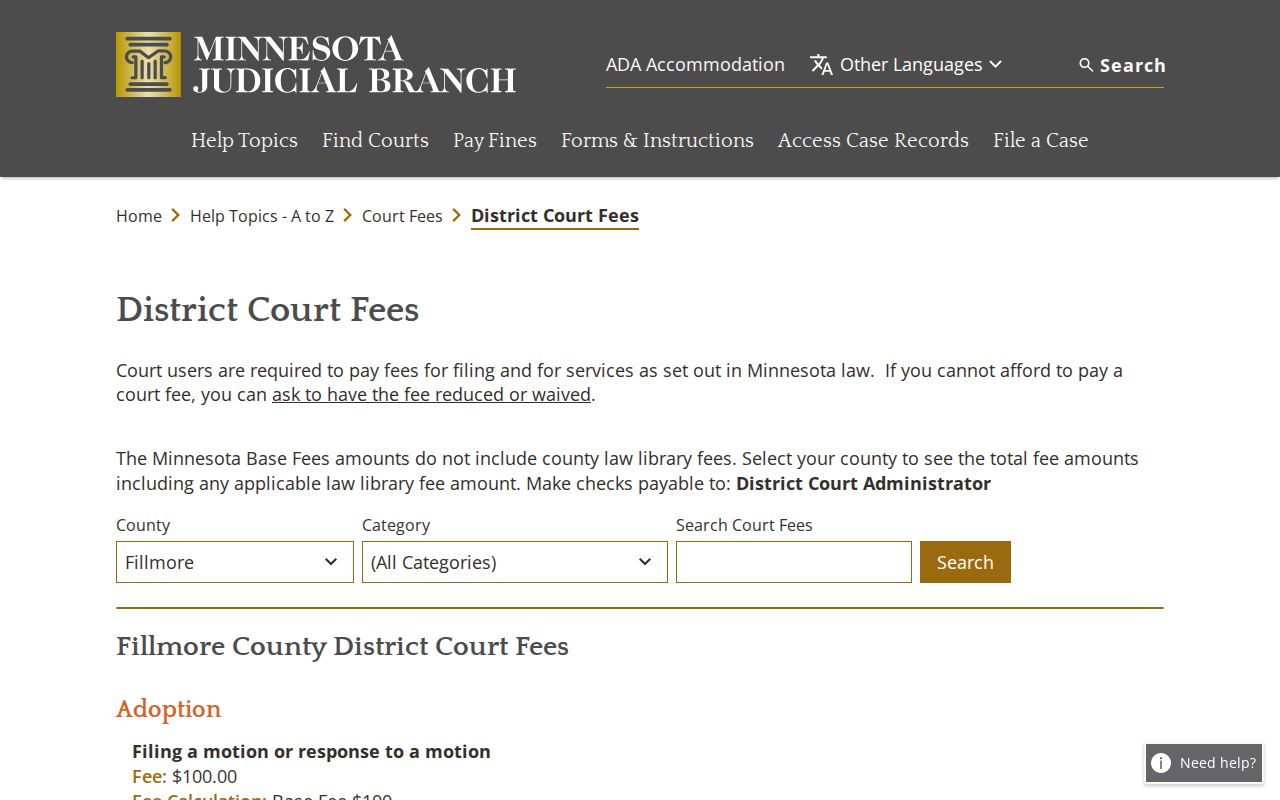
For the current fee math, check Fillmore's fee display before sending payment. That official page lists the local fee amounts the court charges.
The statewide form offers several delivery choices: mail, pickup, fax or email for eligible plain nonconfidential copies, or a prepaid carrier label. Court Administration can confirm the current submission route and whether the item you want is public.
| Copy type | Current stated amount | What it means |
|---|---|---|
| Plain or uncertified MNCIS print | $0 | Informational copy, not court-certified. |
| Certified document | $14 | District Court certification or raised-seal copy. |
| Certified and exemplified | $28 | Certified copy with the added exemplification authentication. |
Fillmore Courthouse Docket History
The Fillmore courthouse matters for docket access in a very practical way. It houses the public terminal and the records counter for Fillmore County court records. The court's history records a first courthouse built in 1863 and finished in 1864. The current courthouse dates to 1958. A major remodeling plus an annex were completed in 2004. That 2004 work added modern audio and video courtroom capacity. This helps explain why the county now blends in-person and remote hearing information.
The courthouse page linked above supplies this local background for Fillmore County court-docket access.
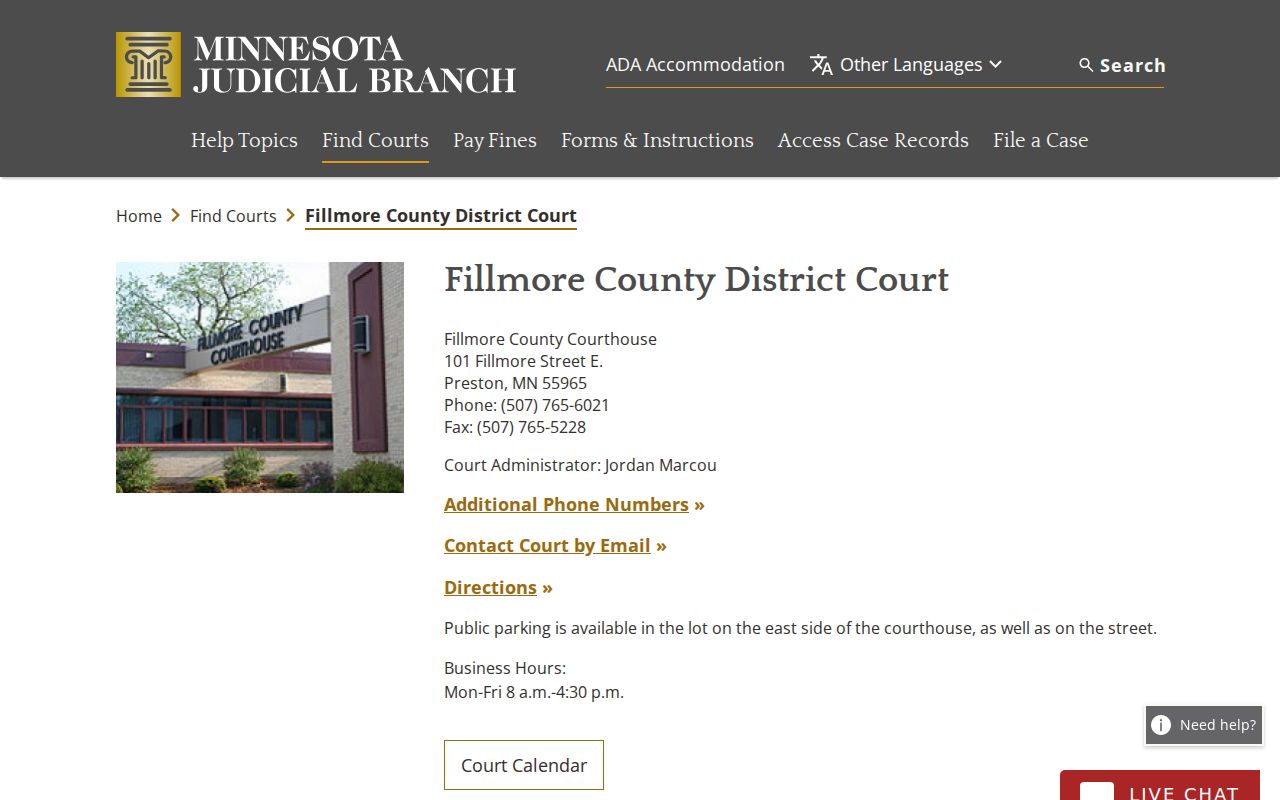
Parking sits east of the courthouse and on the street. The official materials do not map the terminal floor by floor or promise same-day access to archived files, so call Court Administration before making a special trip.
City-by-City Court Dockets in Fillmore County
The Fillmore County 2020 Census table lists its five largest incorporated places. These are Chatfield, Spring Valley, Rushford, Preston, and Harmony. None of these cities operates a separate municipal-court docket portal. A Fillmore city office handles administrative citations and ordinance questions. A filed state court case belongs in MCRO. Fillmore Court Administration in Preston can check anything MCRO leaves unclear. Chatfield straddles the Fillmore and Olmsted county line. A statewide venue check is smart there.
Chatfield Court Records
2,997 citywide residents in the 2020 Census place figure; verify filing venue because the city crosses county lines.
Spring Valley Court Records
2,447 residents in the 2020 Census place figure; city administrative matters remain distinct from a court file.
Rushford Court Records
1,860 residents in the 2020 Census place figure; City Hall records do not replace the District Court register.
Preston Court Records
1,322 residents in the 2020 Census place figure; the county seat is also the court's physical location.
Harmony Court Records
1,043 residents in the 2020 Census place figure; administrative citation amounts are not District Court fees.
Fillmore Court Docket and Federal Cases
Nearly every Fillmore County court matter lives in Minnesota District Court and MCRO. A federal case tied to Fillmore County sits elsewhere. It belongs to the U.S. District Court for the District of Minnesota. It is a separate record, not a hidden corner of the Fillmore County court docket. PACER's District of Minnesota court lookup points to that federal court's public filing system. Federal appeals climb to the Eighth Circuit. Fillmore state appeals move through the Minnesota appellate courts.
Keep the two systems straight. Start with MCRO for any Fillmore District Court case. Search the federal court only when the case is known to be federal. The same applies when you hold a federal case number.
Map and Directions to the Fillmore County Courthouse
Fillmore County District Court files are kept at Court Administration in the Fillmore County Courthouse, 101 Fillmore Street E., in Preston. The current building was constructed in 1958 and underwent an extensive remodeling and annex addition completed in 2004, adding a modern audio and video courtroom. Preston is also the county seat, so the courthouse is both the county's only district-court location and its public-terminal and records counter.
Fillmore Court Administration
Fillmore County Courthouse
101 Fillmore Street E.
Preston, MN 55965
507-765-6021
Monday through Friday, 8:00 a.m. to 4:30 p.m.
Public parking is available east of the courthouse and on the street; no paid garage or floor-by-floor terminal map is published. Because same-day availability for archived or off-site material is not guaranteed, calling ahead before a special trip is the safer plan.